Expense Category Management
Expense Category management in Hbl's simpleBillBook allows you to organize and categorize business expenses systematically. Proper expense categorization helps in financial analysis, budgeting, tax preparation, and understanding business spending patterns.
Overview of Expense Categories
Expense Categories serve as organizational tools for classifying business expenditures. They provide:
- Financial Organization: Systematic grouping of expenses
- Budget Tracking: Monitor spending against budgets by category
- Tax Preparation: Simplify tax deduction calculations
- Spending Analysis: Identify areas of high expenditure
- Cost Control: Monitor and control spending by category
Viewing Expense Categories
To view all expense categories:
- Navigate to Manage Expense → Expense Category from the main sidebar
- You'll see a table listing all expense categories
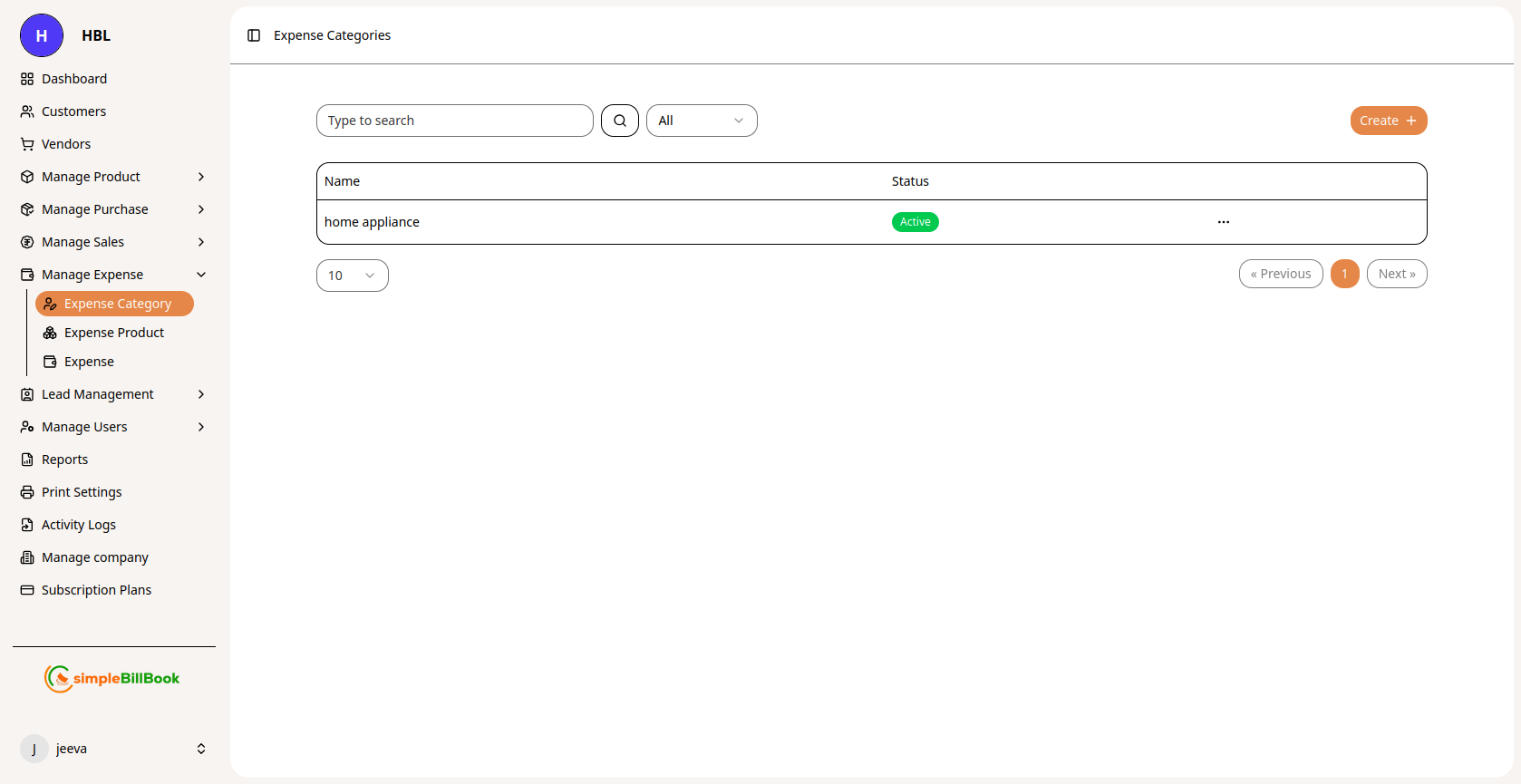 Figure 1: Expense categories list showing all categories with status
Expense Category Table Columns:
Category Information:
- Name: Category name (e.g., Home Appliance, Digital, etc.)
- Status: Active/Inactive status
- Other Details: May include description, code, or other attributes
Interface Elements:
- Type to search: Search functionality for finding specific categories
- All dropdown: Filter by status (Active/Inactive/All)
- Pagination: Navigation controls (Previous, Next buttons)
- Items per page: Typically displays 10 items per page
Creating a New Expense Category
Step 1: Access Category Creation
From the expense categories page, click Create Expense Category or similar button.
Step 2: Fill Category Details
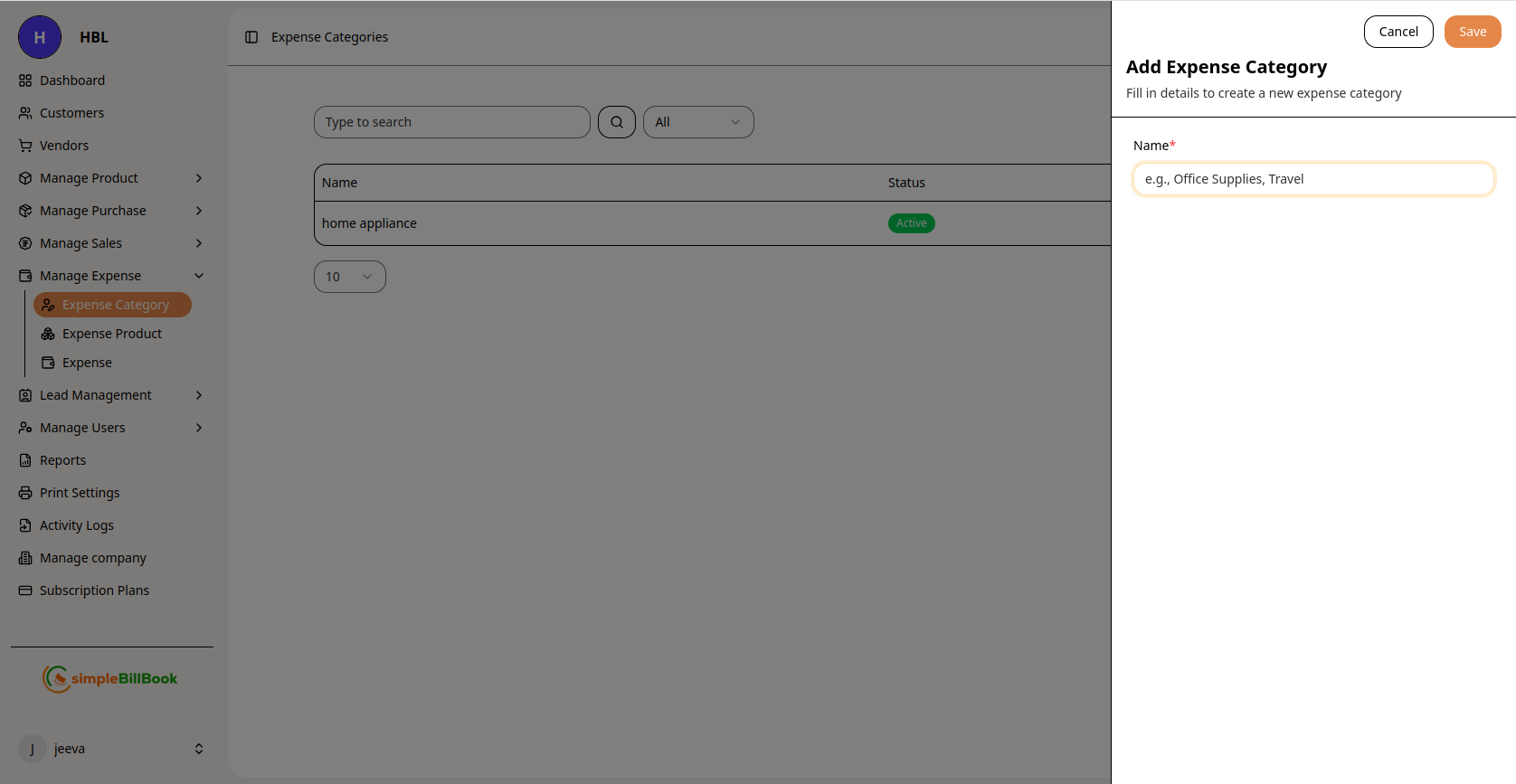 Figure 2: Form for creating new expense categories
Required Information:
- Name*: Descriptive name for the expense category (required)
Step 3: Save Category
- Click Save to create the category
- Click Cancel to discard the category
- System validates for duplicate names if applicable
Types of Expense Categories
Common Expense Category Examples:
1. Operating Expenses:
- Office Supplies
- Utilities (Electricity, Water, Internet)
- Rent and Lease Payments
- Maintenance and Repairs
- Insurance Premiums
2. Personnel Expenses:
- Salaries and Wages
- Employee Benefits
- Training and Development
- Recruitment Costs
- Payroll Taxes
3. Marketing and Sales:
- Advertising Costs
- Promotional Materials
- Trade Shows and Events
- Website Maintenance
- Sales Commissions
4. Travel and Entertainment:
- Business Travel
- Meals and Entertainment
- Transportation Costs
- Accommodation
- Conference Fees
5. Technology and Equipment:
- Software Licenses
- Hardware Purchases
- IT Services
- Equipment Maintenance
- Cloud Services
6. Professional Services:
- Legal Fees
- Accounting Services
- Consulting Fees
- Professional Memberships
- Bank Charges
Best Practices for Expense Category Management
Creating Effective Categories:
- Logical Grouping: Create categories that logically group similar expenses
- Hierarchical Structure: Consider main categories and sub-categories
- Consistent Naming: Use consistent naming conventions across all categories
- Future-Proofing: Create categories that can accommodate future expense types
- Alignment: Align with accounting standards and tax categories
Category Organization:
- Avoid Overlap: Ensure categories don't overlap to prevent confusion
- Limit Number: Don't create too many categories (aim for 15-25 main categories)
- Regular Review: Periodically review and update categories
- User Training: Ensure all users understand category definitions
- Documentation: Maintain documentation of what each category includes
Status Management:
- Active vs. Inactive: Use Active status for current categories, Inactive for discontinued ones
- Category Changes: Consider impact before changing existing categories
- Historical Data: Inactive categories preserve historical expense data
- Cleanup Schedule: Regular cleanup of unused categories
Integration with Expense Entry
Assigning Categories to Expenses:
- When creating expense entries, select appropriate category
- System may suggest categories based on expense type
- Users should be trained on proper category selection
- Consider mandatory category assignment for all expenses
Reporting by Category:
- Generate expense reports filtered by category
- Compare actual vs. budget by category
- Analyze spending patterns by category over time
- Identify areas for cost reduction
Common Scenarios and Solutions
Scenario 1: New Type of Expense Emerges
Solution:
- Assess if existing category covers the expense
- If not, create new category with clear definition
- Train users on when to use new category
- Update expense policies if needed
Scenario 2: Category Becomes Too Broad
Solution:
- Split into sub-categories for better tracking
- Update historical data if possible
- Communicate changes to all users
- Update reporting templates
Scenario 3: Similar Categories Causing Confusion
Solution:
- Review category definitions
- Merge similar categories if appropriate
- Clarify definitions for remaining categories
- Provide examples of what belongs in each category
Scenario 4: Tax Reporting Requirements Change
Solution:
- Review tax reporting requirements
- Adjust categories to align with tax classifications
- Update category definitions and training
- Consider adding tax-specific attributes to categories
Reports and Analytics
Available Expense Category Reports:
- Expense Summary by Category: Total expenses by category for period
- Category Comparison: Compare spending across categories
- Budget vs. Actual by Category: Monitor budget adherence
- Category Trend Analysis: Spending patterns over time by category
- Category Utilization Report: How frequently each category is used
Key Metrics to Monitor:
- Category Distribution: Percentage of total expenses by category
- Category Growth: Spending increases/decreases by category
- Budget Variance: Actual vs. budget by category
- Category Efficiency: Cost-effectiveness of spending by category
- Compliance Rate: Percentage of expenses properly categorized